
If you’re asking, “How do I delete a Facebook account?” start in Facebook’s Accounts Center, where the deletion controls live. Before confirming, download the photos you want to keep and replace any other account’s Facebook sign-in. Those two checks matter more than removing the app from your phone.
A family album, a neighborhood group, and a streaming-service login can all depend on an account you barely open anymore. My approach is to separate those dependencies first, then close the account once the things you need work without it.
The short route: Settings & privacy → Settings → Accounts Center → Personal details → Account ownership and control → Deactivation or deletion → select your Facebook account → Delete account.
Menu labels can differ. Read the selected account and final confirmation carefully; don’t treat a slightly different screen as permission to delete another Meta account.
Decide what you actually want to close
Deleting the Facebook app only removes the app from that device. Your account remains. Deactivation is a reversible break; deletion is intended to be permanent after the cancellation period.
Your goal | Better starting point | What to check first |
|---|---|---|
Stop scrolling for a while | Deactivate | Whether you still need Messenger |
Leave Facebook permanently | Delete | Photos, connected logins, and shared responsibilities |
Keep Facebook but reduce visibility | Review privacy settings | Who can see your posts and profile |
Remove it from one phone | Uninstall or sign out | Whether another device still has access |
I wouldn’t choose deletion simply because the app feels distracting this week. If family conversations still depend on Messenger, deactivation may fit better while you arrange another way to stay in touch.
Before you commit: A saved password for Facebook is not a backup of your photos, and a downloaded archive is not a replacement login for another service.
Save the memories—and open the files
Meta’s explanation of Accounts Center confirms that its information-download controls let you select Facebook information separately from Instagram. Start from Your information and permissions and look for Export your information or Download your information, depending on the interface shown.
Choose your Facebook profile and review the export options before submitting the request. If you want a broad archive, check the date range rather than assuming it includes your entire account history. Include the categories you actually need, such as photos, videos, posts, or messages where available.
For family memories, I’d prioritize these checks:
Date range: Does it reach back to the years you care about?
Media selection: Are photos and videos included?
Quality: If options appear, choose a quality appropriate for keeping memories, allowing for a larger download.
Destination: Save to a location you control, with enough available storage.
Wait until the export is ready and downloaded. Then extract the archive if needed and open several photographs and at least one video. Check an older year as well as a recent one. An export request marked “submitted” is not a usable copy.
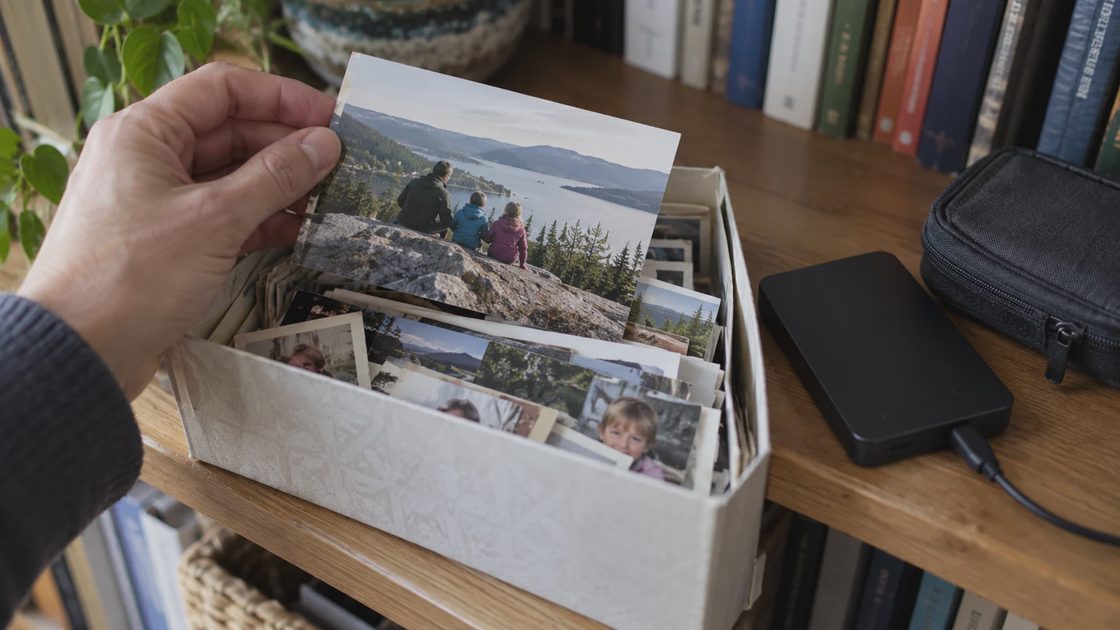
For example, if I wanted to preserve a child’s early birthday photos, I’d open that year’s files before deleting anything. If they were missing, I’d revisit the selected dates and categories rather than assume another export would be possible later.
Store the archive somewhere private and make a second copy of irreplaceable media. Your export can contain more personal information than a normal photo folder, so don’t put the whole archive in a publicly shared album.
Give the saved archive a descriptive folder name, such as Facebook-export-2026-10, and keep a short note of the export date and selected categories. That note helps distinguish an older partial download from the copy you checked before leaving.
Also check photographs uploaded by relatives. Being tagged in someone else’s picture does not mean you hold your own copy; ask them for the original when it matters. Keep the original archive until you have checked what your new photo system contains.
Replace Facebook sign-in before removing the connection
A service that offers “Continue with Facebook” may still need an independent sign-in method after you leave. Don’t assume entering your usual email address will automatically recover the same account.
Start with Facebook’s Apps and websites settings, then check your password manager and the services you remember joining through Facebook. Make a short list rather than trying to solve every old account at once.
For each service you still use:
Open that service directly through its own app or website.
Check which email address is attached to your existing account.
Add an independent sign-in method the service supports, following its instructions.
Confirm access to the recovery email or phone number.
Test the new method in a separate browser session without choosing Facebook sign-in.

The useful test is whether you reach the same account, including its purchases, playlists, or saved information. Accidentally creating a new empty account does not prove the original one is accessible.
Dependency | Evidence you’re ready to leave |
|---|---|
Photo archive | Saved files open outside Facebook |
Another app’s login | Independent sign-in reaches the existing account |
A Page you help manage | The appropriate person has working access |
Family communication | Important contacts have another way to reach you |
If one essential login still fails, I’d postpone deletion and contact that service through its official support channel. The small inconvenience of keeping Facebook longer is easier to manage than losing access to a paid account.
For contacts you only reach through Facebook, ask for another preferred contact method before leaving. You don’t need to announce your departure publicly; a direct message to the few people who matter may be enough. Save their details outside Facebook.
Check any Pages or shared business responsibilities separately. Don’t assume removing a personal account will transfer control to somebody else. Have the person who will take over confirm their access first.
How do I delete my FB account once those checks are done?
Open Facebook in the app or a browser and make sure you are signed into the account you intend to close. A browser can be easier if you want to read the confirmation alongside your checklist.
Use this Accounts Center route when your settings show it:
Open your profile menu and select Settings & privacy, then Settings.
Open Accounts Center.
Select Personal details, then Account ownership and control.
Open Deactivation or deletion.
Choose the Facebook account or profile you mean to remove.
Select Delete account, then Continue and follow the confirmation prompts.
These are the labels in Meta’s published deletion instructions. Facebook changes settings layouts, so if your menu differs, use its Help Center instructions for your interface rather than guessing. Choosing deactivation instead will not complete permanent deletion.
Before the final confirmation, read the consequences shown for Messenger, connected services, and any additional profiles. If you use another Meta product, check its account relationship separately instead of assuming this request affects only the Facebook feed.
Save the confirmation and the cancellation deadline Facebook displays. A screenshot can help, but keep it with private account records rather than in a shared family photo album.
After the request, keep the record—not a checking habit
Meta’s deletion guidance describes a 30-day cancellation window and says removing posted content can take up to 90 days from the beginning of the deletion process. Use the deadline shown for your own account; don’t confuse backend deletion time with extra time to change your mind.
If you do change your mind within the available window, follow Facebook’s cancellation instructions, which involve signing in and selecting Cancel deletion. If you intend to leave, don’t log back in merely to check progress.
Once you’ve saved the confirmation, remove the app if you want and clear shortcuts that encourage accidental returns. Mark your household account record “deletion requested,” with the request date and displayed deadline. Don’t record it as confirmed complete just because the button was pressed.
Can you erase your Facebook account and every copy of a message?
Deleting your account does not necessarily remove messages from someone else’s inbox. Meta also describes exceptions for retained backup or legally required information. Account deletion is not a promise that every copy of everything you shared disappears everywhere.
How do you cancel a Facebook account if you cannot sign in?
Recover access through Facebook’s official recovery process first. Removing the app or reporting your own profile is not a substitute for completing the account-deletion controls. Avoid third-party “deletion agents” asking for passwords or verification codes.
If you are ready to shut down a Facebook account, your next action is small: open one older exported photo and test one replacement login. Confirm both work before returning to the final deletion screen.